A better way to manage project commands
As developers, we all have those small scripts we write to automate common tasks: build.sh, run_tests.cmd, deploy.sh, and so on. They live in our project’s root, and while they get the job done, they can become a collection of scattered, undocumented, and sometimes platform-specific commands.
What if there was a better way? A single, readable, and cross-platform file that serves as a runnable cheat sheet for your project’s commands?
This is where just comes in. It’s a modern command runner that uses a justfile to simplify and standardize your project’s workflow. Think of it as a simpler, more developer-friendly alternative to make.
A justfile is a plain text file (named justfile or Justfile) in your project’s root directory. Inside, you define “recipes,” which are named commands you can run.
Simple Example:
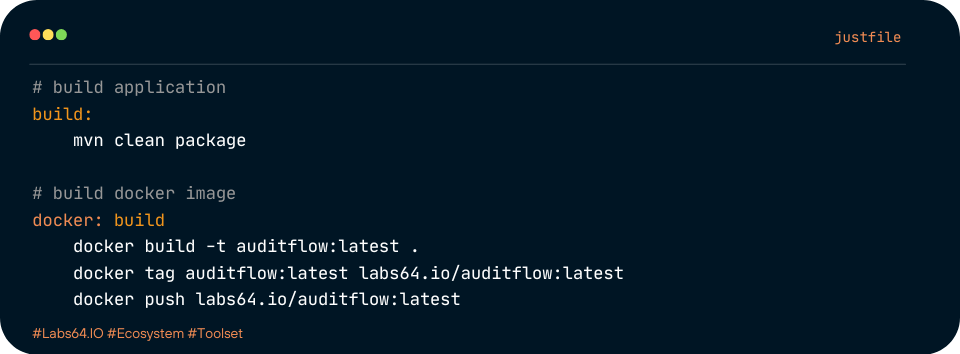
Let’s say you have a Java/Maven project. Instead of a build.sh and start.sh, you can create a justfile:
# justfile

# build application
build:
    mvn clean package

# build docker image
docker: build
    docker build -t auditflow:latest .
    docker tag auditflow:latest labs64.io/auditflow:latest
    docker push labs64.io/auditflow:latest

# run application
run: build
    mvn spring-boot:run -Dspring-boot.run.profiles=local
Now, instead of remembering mvn clean package or ./build.sh, you just run just build or just run.
The benefits of using a justfile
1. Clean, Readable Syntax
A justfile is designed for clarity. Recipes are easy to define and read, making it simple for new team members to jump in and understand how to run the project. You won’t have to decipher complex shell scripts with arcane syntax.
2. Self-Documenting with just --list
This is a major advantage. By simply running just or just --list in your terminal, you get a clean, alphabetized list of all available recipes. It’s an instant, up-to-date documentation of your project’s commands.
3. Cross-Platform Consistency
Shell scripts can be a pain on different operating systems. A justfile helps abstract away these differences. You can define a recipe to use bash on Linux/macOS and powershell on Windows, all within the same file.
Example with arguments and cross-platform commands:
# Set a shell to be used on Windows
set shell := ["powershell.exe", "-c"]

# A recipe with a variable
greet NAME:
  echo "Hello, NAME!"

# A cross-platform clean command

@windows:
clean:
  Remove-Item -Recurse -Force bin, obj

@linux @macos:
clean:
  rm -rf bin obj
Now, just greet "Labs64.IO" works on any system, and just clean runs the correct command for your OS.
4. Built-in Features for Developers
just comes with a number of useful features out of the box, including:
- Variables: Define variables within your
justfileto avoid repetition. - Dependencies: Chain recipes together.
just buildcan depend onjust clean, socleanruns first. - Argument Passing: Easily pass arguments to your recipes, as seen in the
greetexample above. .envfile support:justcan automatically load environment variables from a.envfile, keeping your configs clean and secure.
IDE Integrations
This is where just significantly improves the developer experience. Many popular IDEs have plugins that provide syntax highlighting, code completion, and, most importantly, the ability to run recipes with a single click.
- Visual Studio Code: The “Justfile” extension provides excellent syntax highlighting.
- JetBrains IDEs (IntelliJ, PyCharm, etc.): The “Just” plugin is a great addition, allowing you to run recipes directly from the editor’s gutter with a play button icon. This makes your
justfilefeel like a first-class citizen in your IDE, similar to how you interact with apackage.jsonscript.
Common Pitfalls and Considerations
While just is an excellent tool, it’s important to be realistic about its limitations.
- It’s a command runner, not a full build system. Unlike
make,justdoesn’t track file timestamps to avoid re-running commands. If you need complex dependency tracking based on file changes,makemight still be a better fit. However, for most common development tasks, this isn’t an issue. - Another dependency. Your team will need to install
justto use it. It’s a single, lightweight binary written in Rust, so installation is usually straightforward (e.g.,brew install justorcargo install just). However, it is still an additional dependency to manage. - Windows
shdependency. By default,justusessh. On Windows, you might need a shell like Git Bash, Cygwin, or WSL for it to work out of the box. However, as shown in the example, you can easily configure it to use PowerShell orcmd.exe.
Our Experience at Labs64.IO
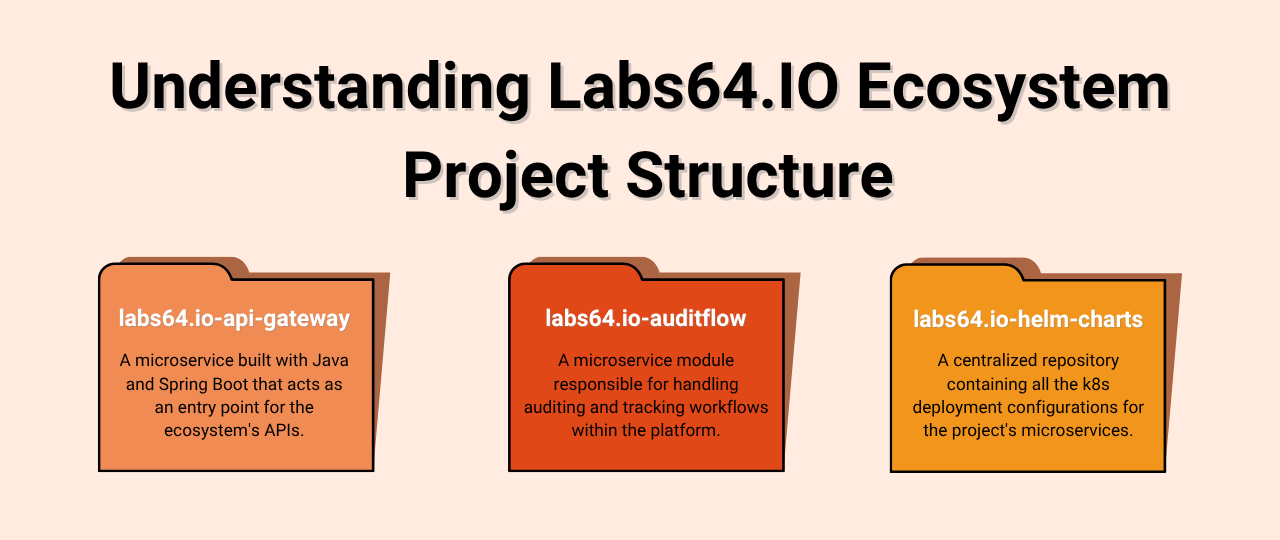
At Labs64.IO, we recently started using just in our projects. We have a lot of sub-projects within our repositories, each with its own set of scripts. Before, this meant a collection of different .sh and .cmd files. This led to a fragmented workflow, where developers had to remember different commands for different services.
By switching to just, we’ve added a justfile to all Labs64.IO Ecosystem sub-projects. Now, all developers need to know is just followed by a recipe name. This has standardized our command structure across the board, making it much easier for new team members to onboard and for existing team members to switch between projects without a mental context shift. It has reduced friction and made our automation more reliable and easier to discover.
If you’re looking for a simple yet powerful way to standardize your project’s command structure, a justfile is a great choice.
Image Credits: Labs64.IO
Related Posts